

Google for Education
Training Courses
Equip your educators with the fundamental skills to use Google Workspace for Education. Elevate their practice by integrating the enhanced teaching and learning capabilities of Gemini for Education.
Google for Education
Training Courses
Equip your educators with the fundamental skills to use Google Workspace for Education. Elevate their practice by integrating the enhanced teaching and learning capabilities of Gemini for Education.
Google Workspace with Gemini

Empower your educators with Google for Education trainings
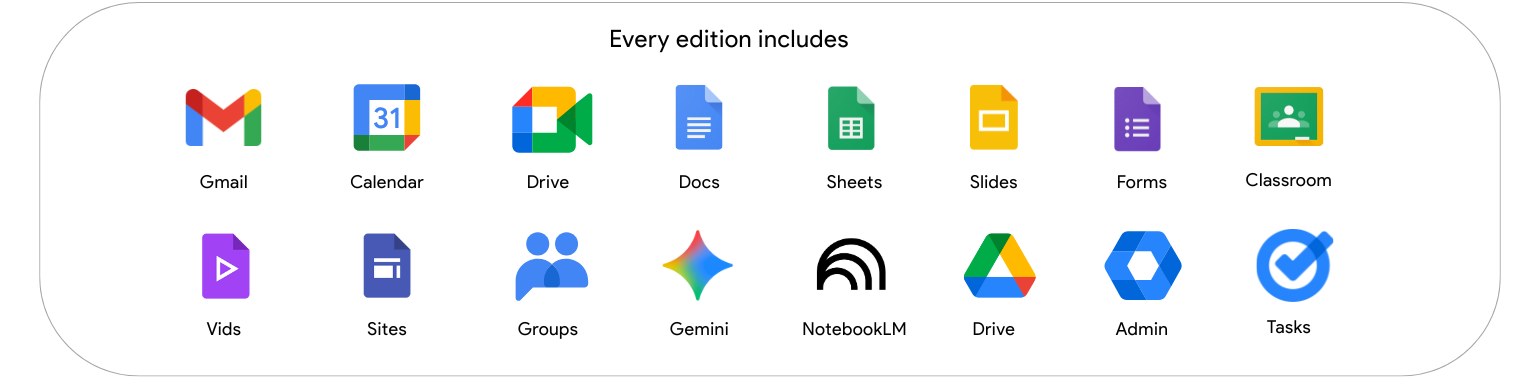
Explore the powerful tools within Google Workspace for Education that form the foundation of our training programs. We begin by equipping your educators with the essential skills to effectively use these tools and then elevate their practice by integrating the enhanced teaching and learning capabilities of Gemini for Education.
Empower your educators with Google for Education trainings
Explore the powerful tools within Google Workspace for Education that form the foundation of our training programs. We begin by equipping your educators with the essential skills to effectively use these tools and then elevate their practice by integrating the enhanced teaching and learning capabilities of Gemini for Education.
Training Courses
Browse the training courses available below, designed based on your needs and experience level.
Google Certified
Educator Lvl 1
This Business Digitization Discovery Workshop is meant to guide business leaders and users to learn how to develop and deploy an application that suits into their business environment.
2-DAY HANDS-ON SESSION
Google Certified
Educator Lvl 2
This workshop is meant to empower technical / business users to design, develop, and deploy intermediate-level AppSheet applications with advanced features to solve complex business problems.
2-DAY HANDS-ON SESSION
Gemini for Education
Advanced
This Business Digitization Discovery Workshop is meant to guide business leaders and users to learn how to develop and deploy an application that suits into their business environment.
1-DAY HANDS-ON SESSION
Training Courses
Browse the training courses available below, designed based on your needs and experience level.
Google Certified
Educator Lvl 1
This Business Digitization Discovery Workshop is meant to guide business leaders and users to learn how to develop and deploy an application that suits into their business environment.
2-DAY HANDS-ON SESSION
Google Certified
Educator Lvl 2
This workshop is meant to empower technical / business users to design, develop, and deploy intermediate-level AppSheet applications with advanced features to solve complex business problems.
2-DAY HANDS-ON SESSION
Gemini for Education
Advanced
This Business Digitization Discovery Workshop is meant to guide business leaders and users to learn how to develop and deploy an application that suits into their business environment.
1-DAY HANDS-ON SESSION
COURSE OVERVIEW
Google Certified Educator Level 1 Training
This course guides educator step-by-step in discovering and gaining further understanding of the features of Google Workspace for Education. By the end of this workshop, you will be able to take advantage of Google’s classroom technology and achieve more with your students.

2 Days
Course duration
Up to 10 pax
Course capacity
English / Malay
Course medium

On-site / Online
Delivery methods
End user
Participant Group
Module breakdown
In this section, we will cover basic cloud concepts and its benefits. We will share the basic features of Google Workspace that is applicable to your daily work.
- Course itinerary walkthrough and checkpoints
- Cloud Concept
- Understanding Google Cloud
- What is Google Workspace?
- Key Features
- Plans and Comparisons
- Log in to your Google Workspace Account
Explore the benefits of teaching and learning via Google technology. Understand the technology that support classroom teaching and prepare for the future.
- Develop familiarity with Google Tools for Digital Classrooms
- Create safe, responsible digital citizens.
- Think Beyond the Classroom
We will be covering the features of Google Workspace tools for your daily work in the classroom.
- Features of Google Drive, Google Docs, Google Sheets & Google Slides
- Create quizzes online with Google Forms
- Stay organized & keep track of your schedule with Google Calendar & Google Tasks
- How Classroom works with Docs and Drive
Achieve effective communication, collaboration & productivity with the current tools you have.
- Apply the organizational benefits of Gmail in your classroom
- Google Chat and Google Group for real-time communication and collaboration
- Hold meetings anytime, anywhere with Google Meet
- Manage to-do lists in Google Tasks and Google Keep
Collect assignments effortlessly and shape good feedback culture with Google Classroom.
- Organize your class and assign homework more easily with workflows
- Measure and analyze student progress and growth
Explore the benefits of using Chrome browser and promote responsible and positive digital citizenship behaviour.
- Boost essential research & digital literacy skills with Smart Search for students
- Teach students about Internet safety & privacy
- Promote a Safe and Responsible Online Presence
COURSE OVERVIEW
Google Certified Educator Level 1 Training
This course guides educator step-by-step in discovering and gaining further understanding of the features of Google Workspace for Education. By the end of this workshop, you will be able to take advantage of Google’s classroom technology and achieve more with your students.
2 Days
Course duration
Up to 10 pax
Course capacity
English / Malay
Course medium
On-site / Online
Delivery methods
End user
Participant Group
Module breakdown
In this section, we will cover basic cloud concepts and its benefits. We will share the basic features of Google Workspace that is applicable to your daily work.
- Course itinerary walkthrough and checkpoints
- Cloud Concept
- Understanding Google Cloud
- What is Google Workspace?
- Key Features
- Plans and Comparisons
- Log in to your Google Workspace Account
Explore the benefits of teaching and learning via Google technology. Understand the technology that support classroom teaching and prepare for the future.
- Develop familiarity with Google Tools for Digital Classrooms
- Create safe, responsible digital citizens.
- Think Beyond the Classroom
We will be covering the features of Google Workspace tools for your daily work in the classroom.
- Features of Google Drive, Google Docs, Google Sheets & Google Slides
- Create quizzes online with Google Forms
- Stay organized & keep track of your schedule with Google Calendar & Google Tasks
- How Classroom works with Docs and Drive
Achieve effective communication, collaboration & productivity with the current tools you have.
- Apply the organizational benefits of Gmail in your classroom
- Google Chat and Google Group for real-time communication and collaboration
- Hold meetings anytime, anywhere with Google Meet
- Manage to-do lists in Google Tasks and Google Keep
Collect assignments effortlessly and shape good feedback culture with Google Classroom.
- Organize your class and assign homework more easily with workflows
- Measure and analyze student progress and growth
Explore the benefits of using Chrome browser and promote responsible and positive digital citizenship behaviour.
- Boost essential research & digital literacy skills with Smart Search for students
- Teach students about Internet safety & privacy
- Promote a Safe and Responsible Online Presence
COURSE OVERVIEW
Google Certified Educator Level 2 Training
This course guides educator step-by-step in discovering and gaining further understanding of the features of Google Workspace for Education. By the end of this workshop, you will be able to take advantage of Google’s classroom technology and achieve more with your students.
2 Days
Course duration
Up to 10 pax
Course capacity
English / Malay
Course medium
On-site / Online
Delivery methods
End user
Participant Group
Module breakdown
In this section, you will learn the importance of support and how to use curation and sharing tools.
- Setting up mentorship and support processes
- Creating & curating online resources
- Using Google Drive as lesson repository
We will introduce three types of personalized learning: Project-Based Learning (PBL), Flipped Learning, and Blended Learning.
- Get inspired by alternative learning models
- Align the use of Google Workspace tools with learning models
- Facilitate personalized learning and showcase students’ work
We will be covering how you can effectively communicate and plan with your students and parents.
- Appointment management with Google Calendar
- Do more with Google Calendar and Gmail with Advanced Settings
- Enhance Chrome and automate your workflows with extensions & adds-on
This session will focus on establishing and maintaining contact between the classroom and guardians.
- Send class-wide updates to Google Groups of guardians
- Use a Google Site to share ongoing information with the class community
- Schedule and host guardian conferences
Analyze and interpret trends from data sets. It will help develop independent learning skills in your students.
- Use conditional formatting and pivot tables to efficiently display results.
- Access the power of Google Search right from within Google Docs and Slides
- Find and cite academic resources for scholarly projects with your own personal library.
Explore how Google tools provide students to collect, reflect, and share their learning in the form of a digital portfolio.
- Utilize Google Classroom as a class portal
- Use Google Docs as class syllabus
- Blog Creation
- How Google Drive can work with Google Sites to create an online portfolio
Gain ideas on how to use different Google tools to create a classroom without borders and creating interactive, self-directed learning experiences for students.
- Open your classroom with Google Meet and YouTube Live
- Best practices to make your Google Meet successful
- Take virtual field trips and setup virtual worlds
- Utilize YouTube Editor and multiple Google tools simultaneously to create interactive videos
- Integrate third-party high-quality applications into your classroom to enrich curriculum
Facilitate healthy discussions both online and in the classroom for students.
- Use technology to facilitate group work.
- Develop an authentic audience for student work and help mobilize and inspire change.
- Support students as they practice and create presentations
- Learn how to foster leadership skills in students
COURSE OVERVIEW
Google Certified Educator Level 2 Training
This course guides educator step-by-step in discovering and gaining further understanding of the features of Google Workspace for Education. By the end of this workshop, you will be able to take advantage of Google’s classroom technology and achieve more with your students.
2 Days
Course duration
Up to 10 pax
Course capacity
English / Malay
Course medium
On-site / Online
Delivery methods
End user
Participant Group
Module breakdown
In this section, you will learn the importance of support and how to use curation and sharing tools.
- Setting up mentorship and support processes
- Creating & curating online resources
- Using Google Drive as lesson repository
We will introduce three types of personalized learning: Project-Based Learning (PBL), Flipped Learning, and Blended Learning.
- Get inspired by alternative learning models
- Align the use of Google Workspace tools with learning models
- Facilitate personalized learning and showcase students’ work
We will be covering how you can effectively communicate and plan with your students and parents.
- Appointment management with Google Calendar
- Do more with Google Calendar and Gmail with Advanced Settings
- Enhance Chrome and automate your workflows with extensions & adds-on
This session will focus on establishing and maintaining contact between the classroom and guardians.
- Send class-wide updates to Google Groups of guardians
- Use a Google Site to share ongoing information with the class community
- Schedule and host guardian conferences
Analyze and interpret trends from data sets. It will help develop independent learning skills in your students.
- Use conditional formatting and pivot tables to efficiently display results.
- Access the power of Google Search right from within Google Docs and Slides
- Find and cite academic resources for scholarly projects with your own personal library.
Explore how Google tools provide students to collect, reflect, and share their learning in the form of a digital portfolio.
- Utilize Google Classroom as a class portal
- Use Google Docs as class syllabus
- Blog Creation
- How Google Drive can work with Google Sites to create an online portfolio
Gain ideas on how to use different Google tools to create a classroom without borders and creating interactive, self-directed learning experiences for students.
- Open your classroom with Google Meet and YouTube Live
- Best practices to make your Google Meet successful
- Take virtual field trips and setup virtual worlds
- Utilize YouTube Editor and multiple Google tools simultaneously to create interactive videos
- Integrate third-party high-quality applications into your classroom to enrich curriculum
Facilitate healthy discussions both online and in the classroom for students.
- Use technology to facilitate group work.
- Develop an authentic audience for student work and help mobilize and inspire change.
- Support students as they practice and create presentations
- Learn how to foster leadership skills in students
COURSE OVERVIEW
Gemini for Education Advanced Training
By the end of the training, you will be proficient in applying Gemini’s functionalities across different Google Workspace applications. You will also gain practical skills and knowledge to support teaching, learning, and working.

1 Day
Course duration

Up to 10 pax
Course capacity
English
Course medium

On-site or Online
Delivery methods

End user
Participant Group
Module breakdown
Leverage Gemini’s capabilities in information gathering, knowledge synthesis, and in-depth analysis using various Gemini for Google Workspace Tools.
- Conducting research with Gemini such as market research, trends analysis
- Generating summaries and analysis according to your specific needs and context.
- Better research with Deep Research and Canvas
- Grounded research with NotebookLM
Discover how Gems has the ability to customize and enhance your Gemini experience, tailoring to your specific needs and tasks.
- What are Gems?
- Explore existing pre-made Gems that are available
- Creating custom Gems
- Manage and sharing Gems
- Practical use-cases of Gems
A comprehensive guide to effectively utilize the Gemini side panel, getting AI -assistance directly and seamlessly with Google Workspace applications.
- Understanding the Gemini side panel interface
- Discover Gemini side panel’s features and functionalities within the Google Workspace applications
- Real use-cases walkthrough with scenarios of your daily work
We will be demonstrating applications of Gemini within Google Docs, Sheets, Slides and Vids. Discover how Gemini can automate daily tasks and work collaboration.
- Gemini in Docs: Content creation and document summarization
- Gemini in Sheets: Data analysis, enhanced smart fill, insights discovery
- Gemini in Slides: Image generation & engaging presentations
- Gemini in Vids: AI-powered video creation
This training module focuses on using Gemini to enhance Teaching and Learning experience.
- Use Gemini to create lesson plan, quiz and assignments
- Use NotebookLM and Gems to enhance students’ learning
This training module focuses on practical, hands-on applications of Gemini across key functions.
Learn how to apply AI to support the teaching and learning, as well as administrative work through this interactive section.
COURSE OVERVIEW
Gemini for Education Advanced Training
By the end of the training, you will be proficient in applying Gemini’s functionalities across different Google Workspace applications. You will also gain practical skills and knowledge to support teaching, learning, and working.
1 Day
Course duration
Up to 10 pax
Course capacity
English
Course medium
On-site or Online
Delivery methods
End user
Participant Group
Module breakdown
Leverage Gemini’s capabilities in information gathering, knowledge synthesis, and in-depth analysis using various Gemini for Google Workspace Tools.
- Conducting research with Gemini such as market research, trends analysis
- Generating summaries and analysis according to your specific needs and context.
- Better research with Deep Research and Canvas
- Grounded research with NotebookLM
Discover how Gems has the ability to customize and enhance your Gemini experience, tailoring to your specific needs and tasks.
- What are Gems?
- Explore existing pre-made Gems that are available
- Creating custom Gems
- Manage and sharing Gems
- Practical use-cases of Gems
A comprehensive guide to effectively utilize the Gemini side panel, getting AI -assistance directly and seamlessly with Google Workspace applications.
- Understanding the Gemini side panel interface
- Discover Gemini side panel’s features and functionalities within the Google Workspace applications
- Real use-cases walkthrough with scenarios of your daily work
We will be demonstrating applications of Gemini within Google Docs, Sheets, Slides and Vids. Discover how Gemini can automate daily tasks and work collaboration.
- Gemini in Docs: Content creation and document summarization
- Gemini in Sheets: Data analysis, enhanced smart fill, insights discovery
- Gemini in Slides: Image generation & engaging presentations
- Gemini in Vids: AI-powered video creation
This training module focuses on using Gemini to enhance Teaching and Learning experience.
- Use Gemini to create lesson plan, quiz and assignments
- Use NotebookLM and Gems to enhance students’ learning
This training module focuses on practical, hands-on applications of Gemini across key functions.
Learn how to apply AI to support the teaching and learning, as well as administrative work through this interactive section.

What work with PointStar?
Endorsed by thousands of organizations, PointStar is a specialist in providing digitalization and change management workshop.
1000+
change management workshops conducted by our certified trainers across PointStar, ranging from various industry verticals and business segments.
Google Cloud certified
Our business and technical teams are certified by Google Cloud in extending services to customers.
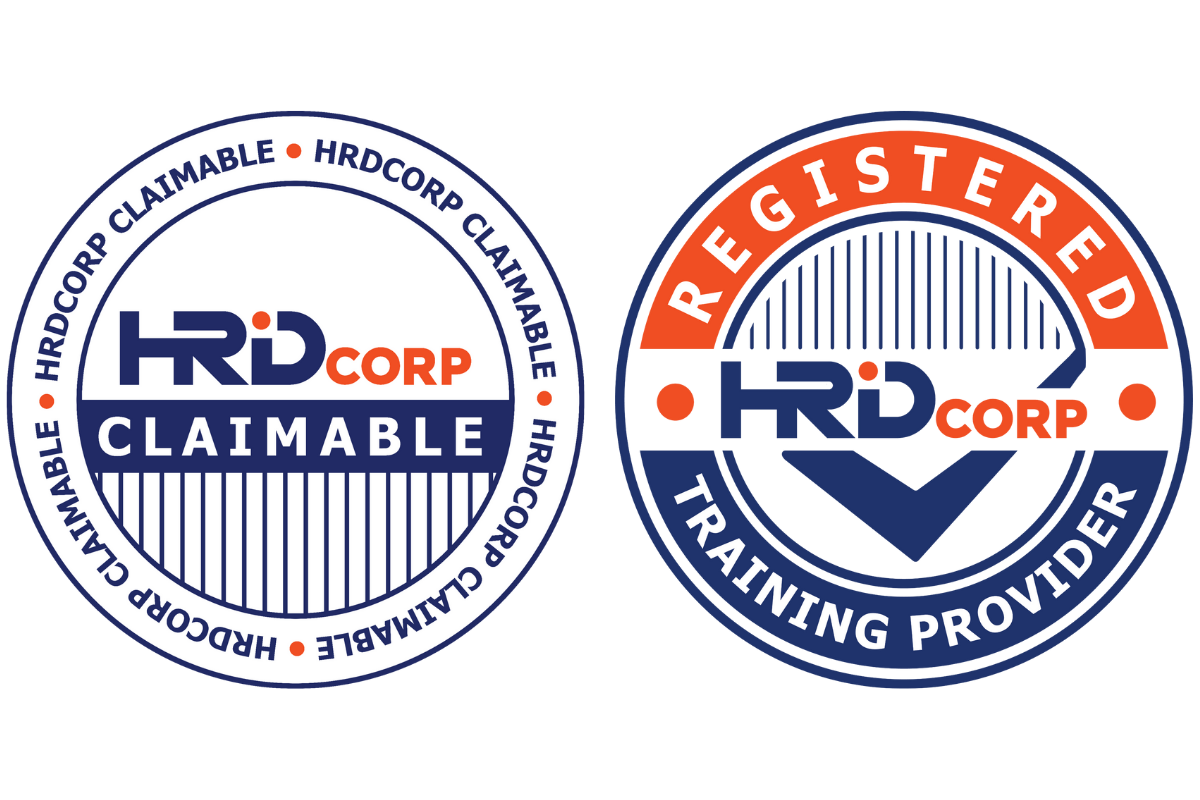
PointStar is a HRD Corp certified training provider and our training programs are HRD Corp certified.
What work with PointStar?
1000+
change management workshops conducted by our certified trainers across PointStar, ranging from various industry verticals and business segments.
Google Cloud certified
Our business and technical teams are certified by Google Cloud in extending services to customers.
PointStar is a HRD Corp certified training provider and our training programs are HRD Corp certified.

PointStar is a certified Google Cloud Premier Partner in the South East Asia region, in Singapore, Malaysia and Indonesia.
Our business and technical team are certified by Google Cloud in extending services to customers.
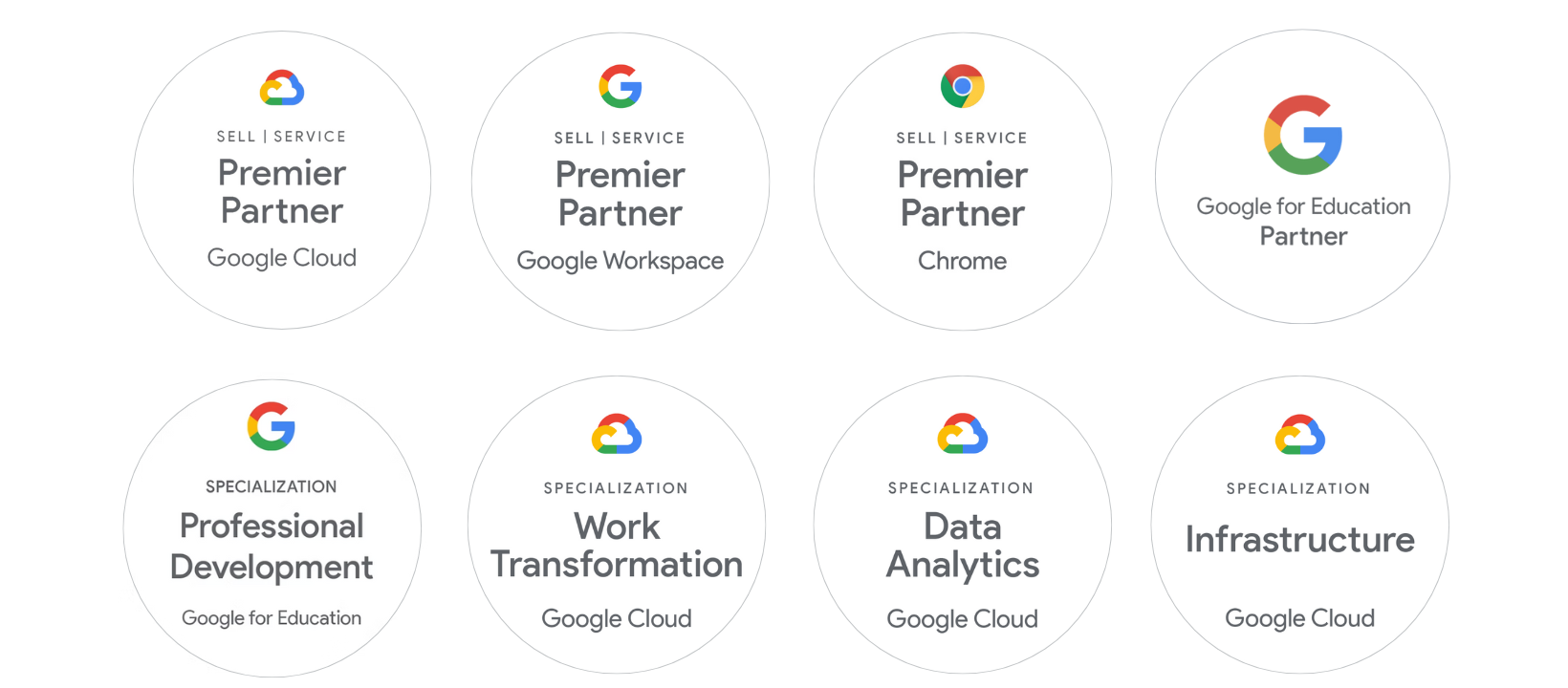
PointStar is a certified Google Cloud Premier Partner in the South East Asia region, in Singapore, Malaysia and Indonesia.
Our business and technical team are certified by Google Cloud in extending services to customers.
Contact us
Our cloud specialist will reach out to you shortly.
Contact us
Our cloud specialist will reach out to you shortly.